Segmented Turning™ - Segmented Project PlannerDesign your first segmented project in 5 minutes with the Segmented Project Planner. Plus free plans, hints&tips, wood costs and more. 792 Phillips Road || Arroyo Grande, CA 93420-5019 || Phone: (805) 489-5309 || Email: bkandler@segmentedturning.com |
||||||||||||
| ||||||||||||
| Product Pages | Segmented Project Planner | Plug-In Designers | Book | DVD | Project Library | Truncated Cone | Special Segmented Turning Deals |
![]() |
![]() |
![]() |
![]() |
Who is this guy? |
| The Segmented Project Planner is software that assists you in designing segmented projects for the
wood lathe; making the task easier, faster, and more accurate. The program provides the most comprehensive support available for segmented
vessel design and construction. It runs on the PC under all current Windows versions and, with the help of Virtual PC, Parallels, Boot
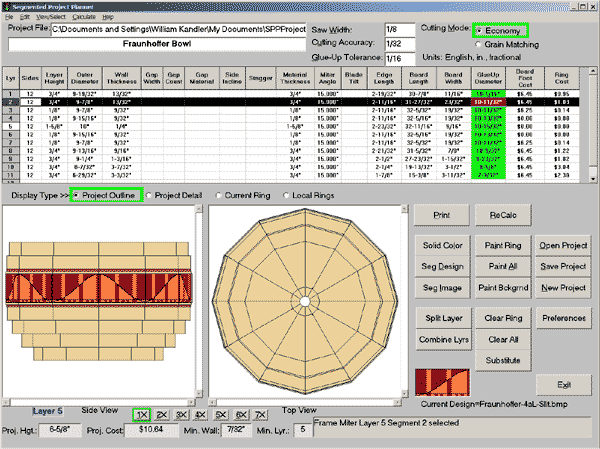
Camp, or VM Ware Fusion, the Mac as well. Registered users get free upgrades. The Segmented Project Planner supports the beginning of the design activity by providing Sketch-A-Bowl™ for developing an initial shape for your object. Starting from a simple shape, you push/pull on the sidewalls of the object until it looks just right. Or, to trace a shape from a picture, or just sketch an object, use the Shape-A-Bowl dialog. In either case, save the shape as a segmented project file with a specified height, diameter, and layer thickness. The Segmented Project Planner supports the final design activity by giving you hands-on manipulation/control over each project layer and showing you what it will look like. It then lets you paint individual segments with wood colors, complex segments/mosaics or graphic images to better see what the final project will look like. You can also establish open segments or vertical spacers. |
![]() |
Throughout your project, the Segmented Project Planner does all the math needed to completely describe your project. Just print the report, you can take it straight to the shop and start cutting, to get all angles, dimensions, and wood types for each segment of every layer. The program also prints angle, segment, and ring templates to help in the setup and assembly process.
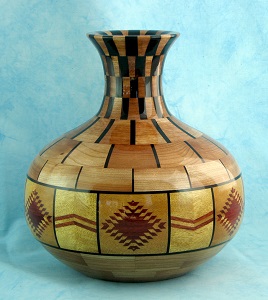
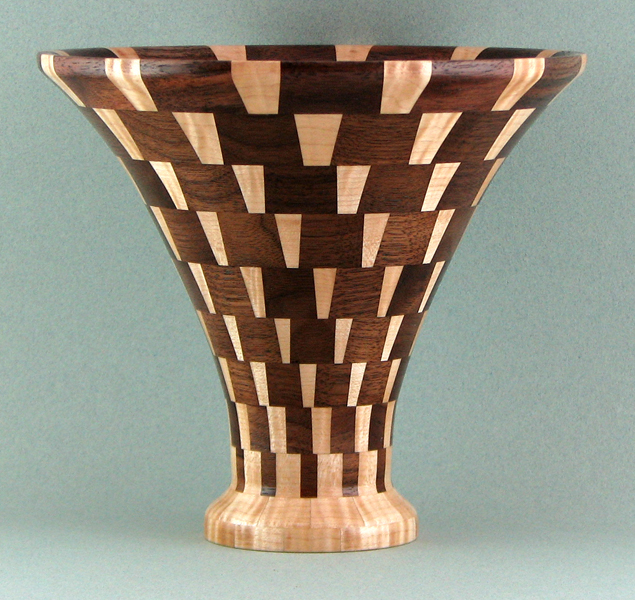
I used the Segmented Project Planner to do all the planning and calculating needed to produce the segmented projects at the top of this page. Its ease of use and accuracy have helped me to produce professional looking items and spend most of my time where the real fun is; at the lathe.
You can download the program's installation package right now for a free, 30 day trial. It's the complete program with printing limited to the first 5 layers of your project. As soon as you purchase the program and register, the program will print your complete project. Just Click Here to start the download of Segmented Project Planner installer. You'll like what you see. As of today 3098 people have purchased it. If you decide later to purchase the program, do not download and install again after the purchase. Just register using the information I'll send you.
Click here to see a detailed list of the features of the Segmented Project Planner.
To see more detailed information, including sample screen, content description, and printed report, Click Here ...
|
Three Ways to Purchase (Click on one of the prices for details) |
Download |
CD USA |
CD non USA |
| PayPal (M/C, Visa, AMEX, Discover, checking account) | |||
| Register Now (M/C, Visa, AMEX, Discover) |
N/A |
||
| M/C, Visa, Discover, Personal Check, Money Order |
N/A |
05/7/2013 - Another trip starting tomorrow morning. First some fabric arts stuff and then the Utah Woodturning Symposium. I'll have CDs, DVDs, and some books with me for any orders. Cones and plugin designer CDs will get sent out when we get back. The current version of the Segmented Project Planner is 3.02.0065, 4/11/2013. Click here to view the Media Kit containing more information about it.